CarSearch AI Partners Marketplace

Add AI to your dealership's website.

Embeddable components from CarSearch AI Partners: an AI car-search widget, a 24/7 AI sales assistant and a live inventory grid — powered by your real stock, dropped into your website with two lines of HTML.

Works on any website Origin-pinned keys Live stock, never stale
2 lines of HTML to install 3 AI components today Scoped, read-only data access Revoke a key instantly
The components

AI on every page of your website

Each component runs on your live stock and drops enquiries straight into your CRM. Switch it on in your dashboard, create a key, paste the snippet — done.

Flagship
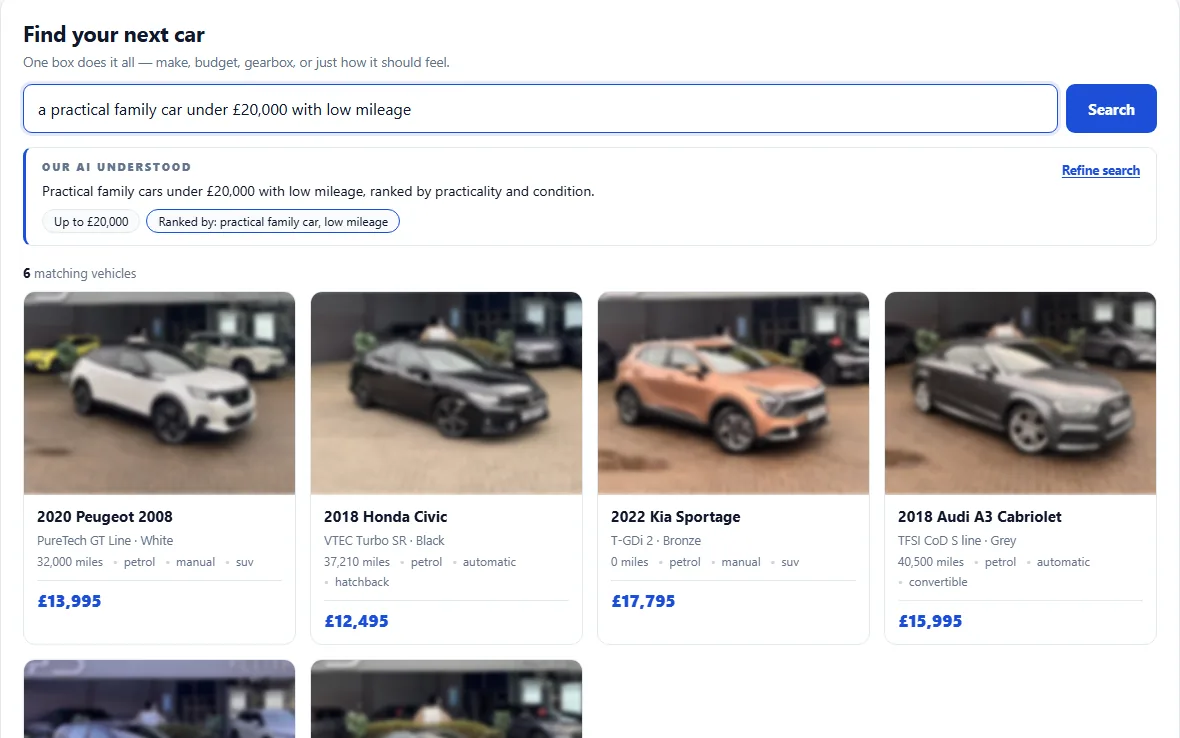
The oc-car-search component on a dealer site: the buyer's query, the “Our AI understood” panel and the matching cars from live stockReal capture
AI Search

AI Car Search

<oc-car-search>

Buyers describe the car they want in their own words — the AI searches your live stock, shows matching cars, and walks them to the right listing.

  • ✓ Search in plain English over your real stock
  • ✓ Guides buyers to the exact car, like a salesperson
  • ✓ Every conversation can become a CRM enquiry
How to embed
<script async src="https://api.car-search.ai/widgets/loader.js" data-partner-key="csai_pub_YOUR_KEY" data-dealership="DEALERSHIP_UID"></script>
<oc-car-search></oc-car-search>
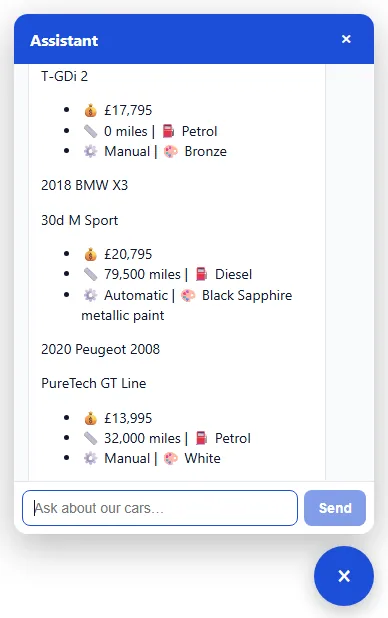
The oc-ai-chat panel on a dealer site answering a buyer's question with real cars from that dealership's stock — make, price, mileage, fuel and gearboxReal capture
AI Assistant

AI Sales Assistant

<oc-ai-chat>

A 24/7 AI assistant that answers buyer questions from your live stock, qualifies the lead, and puts every enquiry straight into your CarSearch AI Partners CRM.

  • ✓ Answers from your stock — day and night
  • ✓ Your branding, greeting and tone
  • ✓ Enquiries land in your pipeline automatically
How to embed
<script async src="https://api.car-search.ai/widgets/loader.js" data-partner-key="csai_pub_YOUR_KEY" data-dealership="DEALERSHIP_UID"></script>
<oc-ai-chat></oc-ai-chat>
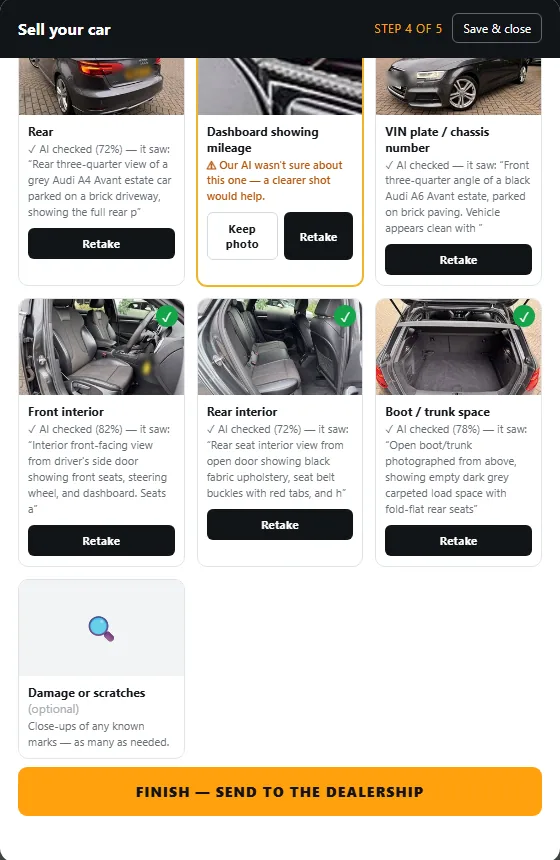
The oc-part-exchange photo checklist with the AI's review of each photoReal capture
Part exchange

Part exchange & sell your car

<oc-part-exchange>

A guided, photo-first valuation for your website: the buyer photographs their number plate and a few angles, the AI reads the registration, checks the condition and returns a valuation — and the enquiry lands in your CRM.

  • ✓ Plate or VIN read from a photo — no typing
  • ✓ Guided shot list with AI condition checks
  • ✓ Every valuation becomes a lead in your CRM
How to embed
<script src="https://api.car-search.ai/widgets/loader.js" data-partner-key="csai_pub_YOUR_KEY" data-dealership="DEALERSHIP_UID"></script>
<oc-part-exchange></oc-part-exchange>
A white Mercedes-Benz A-Class inside a brick-walled showroom with arched windows and a polished concrete floor, made from a forecourt photoReal capture
Imagery

Showroom images

<oc-showroom>

Turns forecourt photos into studio-quality showroom pictures on your website — the car is cut out, placed on a clean backdrop and lit consistently, so every listing looks like the same photographer shot it.

  • ✓ Cut-out and backdrop generated by the AI
  • ✓ Your own backdrops, your brand colours respected
  • ✓ Original photos untouched — showroom set is additional
How to embed
<script src="https://api.car-search.ai/widgets/loader.js" data-partner-key="csai_pub_YOUR_KEY" data-dealership="DEALERSHIP_UID"></script>
<oc-showroom></oc-showroom>

Interactive live previews on a real dealership's stock are part of every demo — book one and we'll set a component up on your site during the call.

How embedding works

From your dashboard to your website in minutes

No SDK, no build step, no iframe wrangling. Components load through a tiny loader script and render themselves wherever you place the tag.

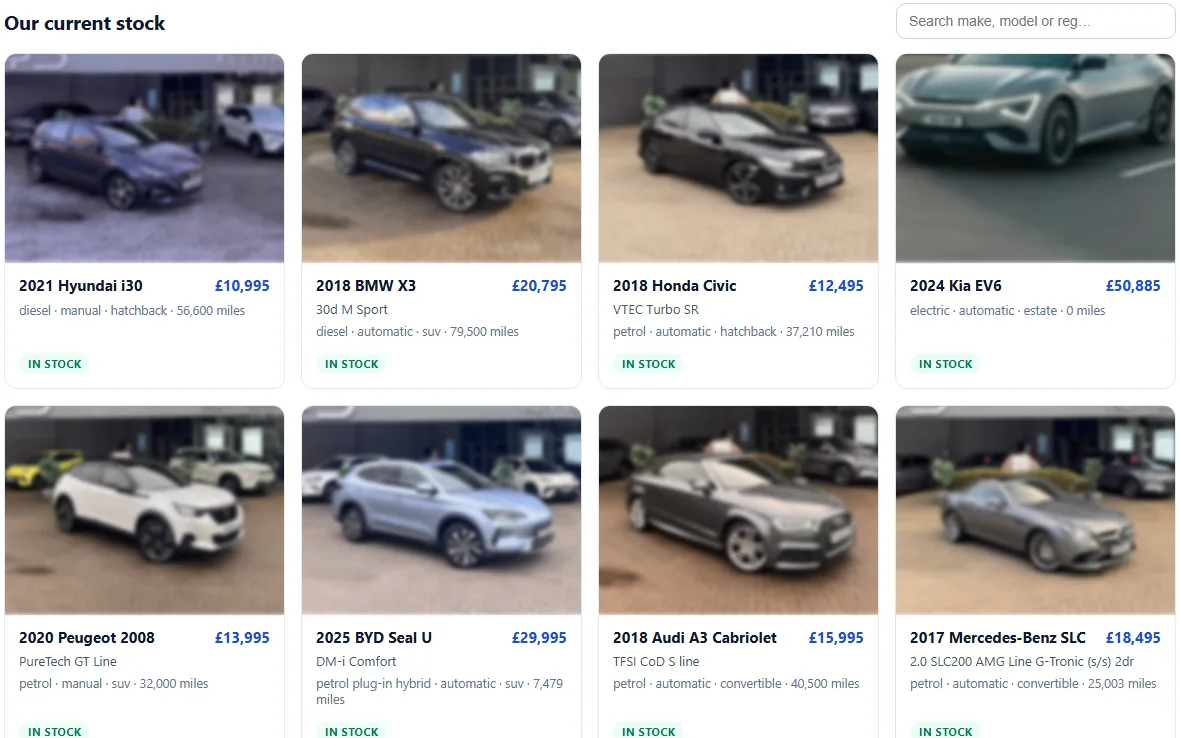
The oc-inventory-grid component rendering a dealership's live stock on its website

Subscribe in your dashboard

Sign in to CarSearch AI Partners, open the Marketplace, and switch on the components you want on your website. Your plan covers the flagship widgets.

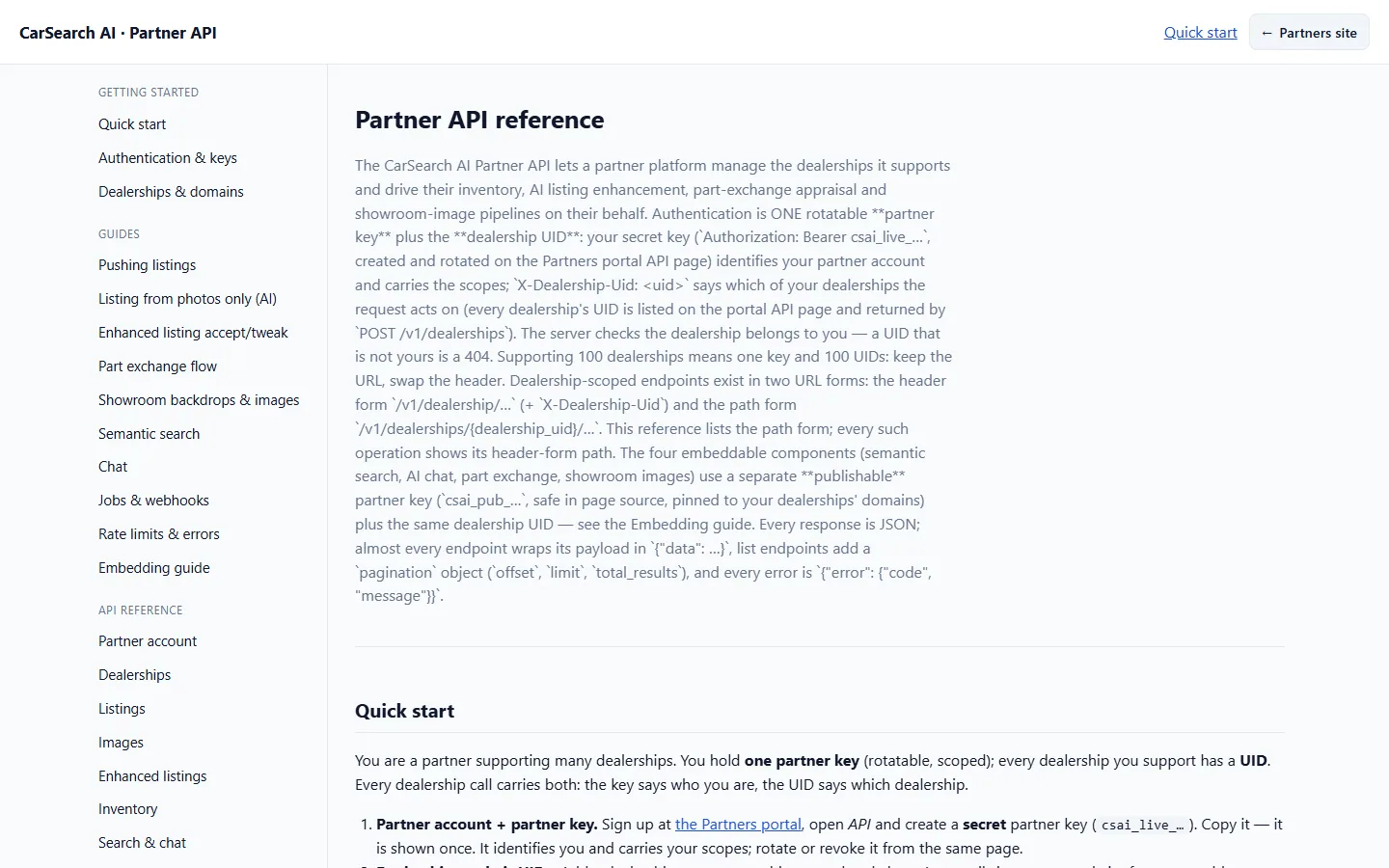
The developer documentation: the REST API endpoints reference

Create a publishable key

On the API page, create one csai_pub_… key for your website. It's safe to ship in public HTML — it only works from the domains on your allow-list, and your dealership's UID tells the components whose stock to show. More than one branch? Each has its own UID.

The oc-car-search component rendered on a page: the query and the “Our AI understood” panel

Paste two lines of HTML

Add the loader script once (with data-partner-key and data-dealership), then drop <oc-car-search>, <oc-ai-chat>, <oc-part-exchange> or <oc-showroom> anywhere on the page.

It's secure

Built like a payments SDK, not a copy-paste script

The embed system uses the same publishable / secret key model you know from Stripe — so putting our components on a dealer site never puts that dealership's data at risk.

🔑

Publishable keys, safe in public

The publishable key in the page HTML can't read a dealership's data by itself — together with the dealership UID it can only be exchanged, from an allowed domain, for a short-lived, single-purpose token. Your secret key never leaves your servers.

📍

Origin-pinned

Every key is locked to that dealer site's domain. Copied onto another site, it's simply refused.

🎯

Scoped & read-only

Tokens carry only the scopes the component needs — public inventory and chat. Never pricing rules, customers or settings.

🧾

Audited & revocable

Every token mint and data call is logged, and you can revoke a key from your dashboard — it stops working instantly.

See it on a real dealership's stock

Want these on your website?

Book a 30-minute demo and we'll put the AI car search on a page of your website — live, on your own stock — while you watch.

Request your demo →