For car dealerships across the UK
AI car search, an AI sales chat that knows your stock, part exchange from photos, showroom pictures and video adverts, on the website you already have. Every enquiry comes straight to you.

Choose the tools you want on your website. They take your colours and font, and your stock comes in by hand or from your stock system.
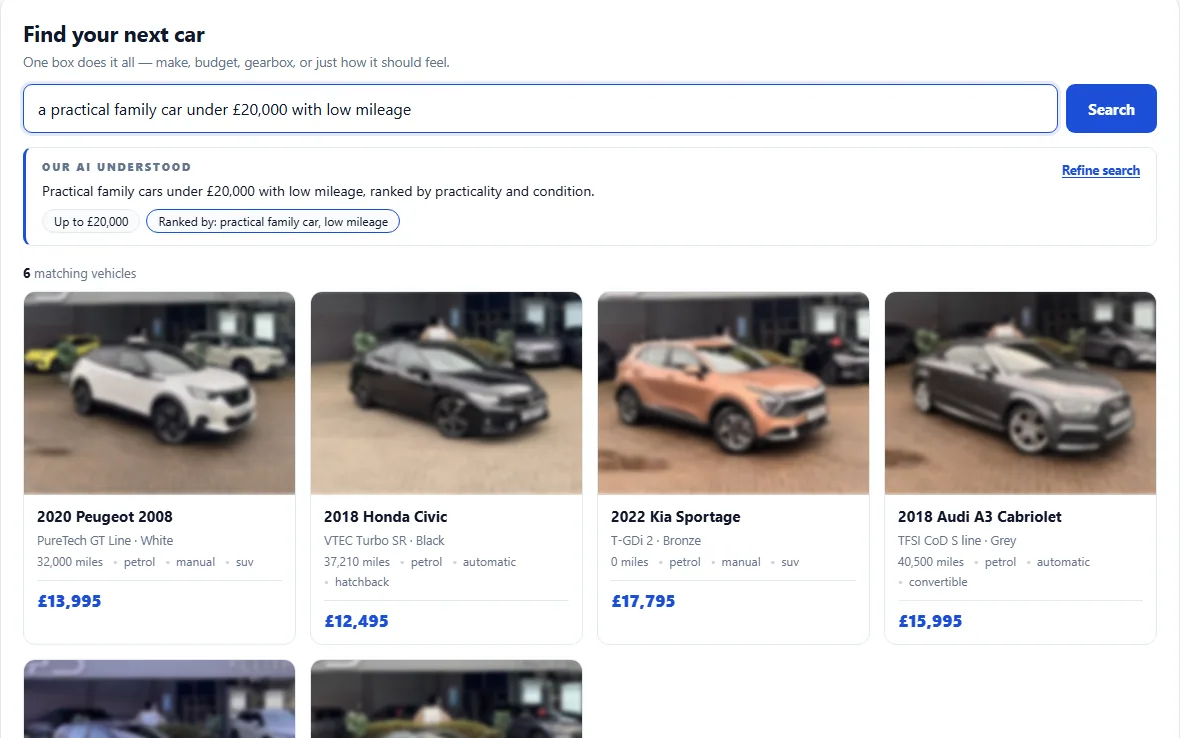

Buyers describe the car in their own words. The AI shows what it understood and searches your live stock. A whole search page, in one box.
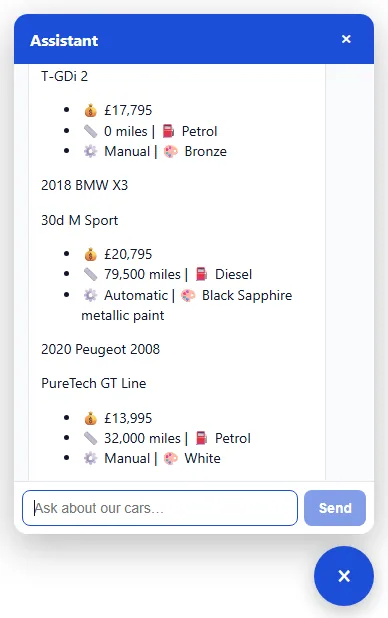
An assistant that answers from your stock day and night, helps the buyer choose, and passes every enquiry to you with the AI's summary.
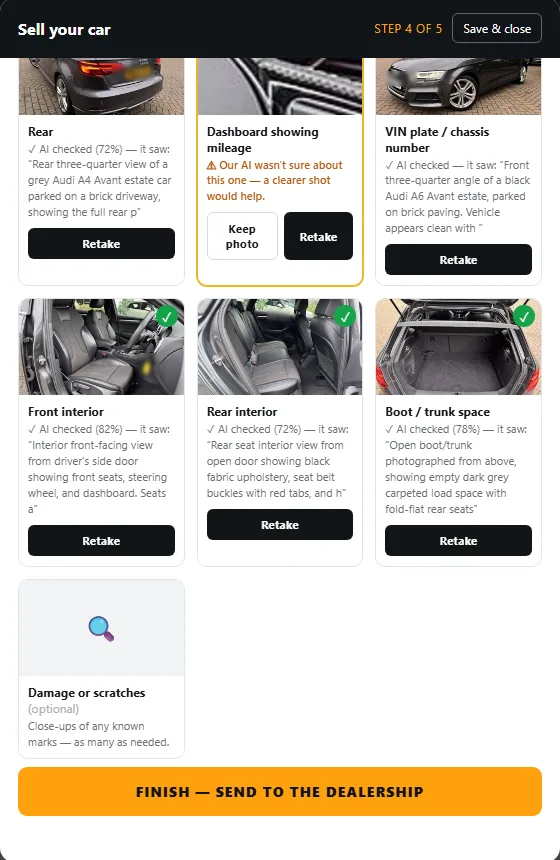
The number plate and the mileage are read from photos, then a guided photo checklist with the AI's review of every shot. The car arrives with you, ready to value.
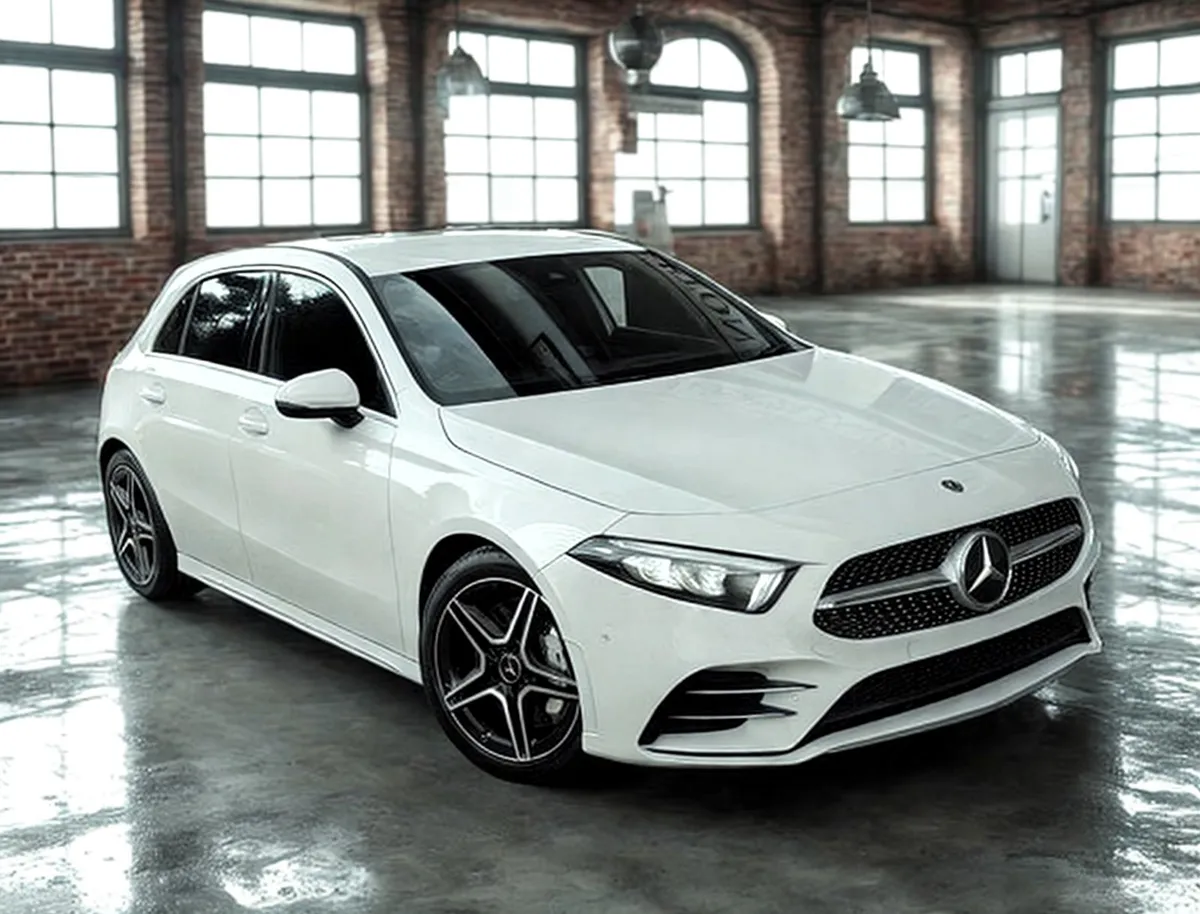
A forecourt photo becomes a showroom picture, with the light, shadows and reflections painted again by the AI. Or send us your whole stock: showroom pictures of every car, 50p per image.
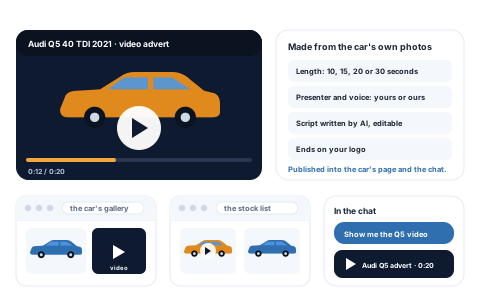
A video advert for any car, made from its own photos, with a presenter and voice, a script written by AI, and your logo at the end. It goes on the car's page and the chat shows it.
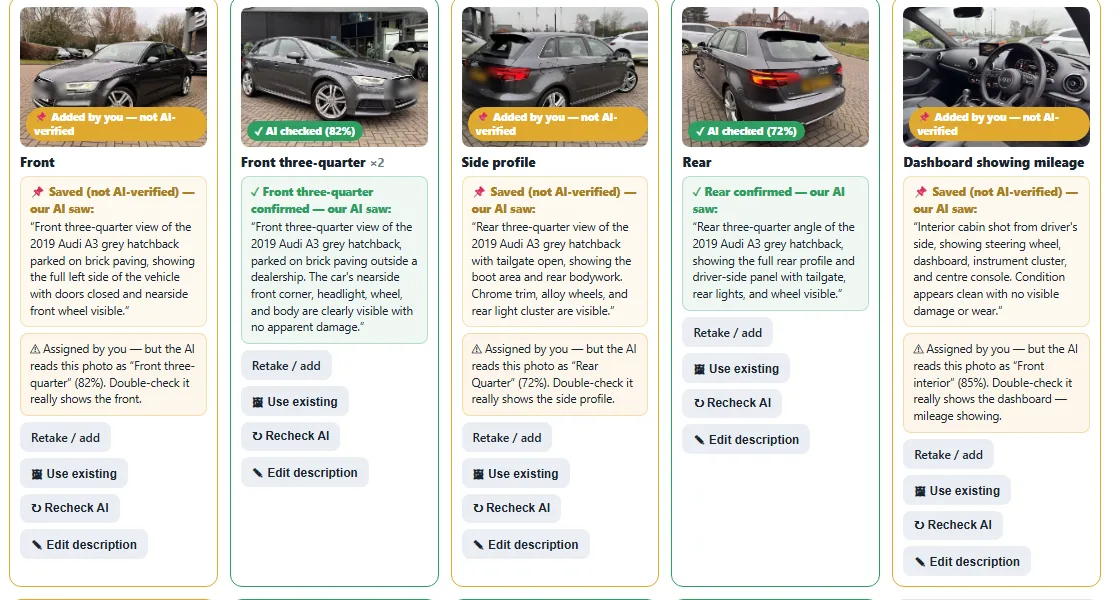
Photograph the car and work through the guided shot list. The AI checks each photo the moment it lands, says what it saw and flags the shots that don't match, then writes the listing when you ask.
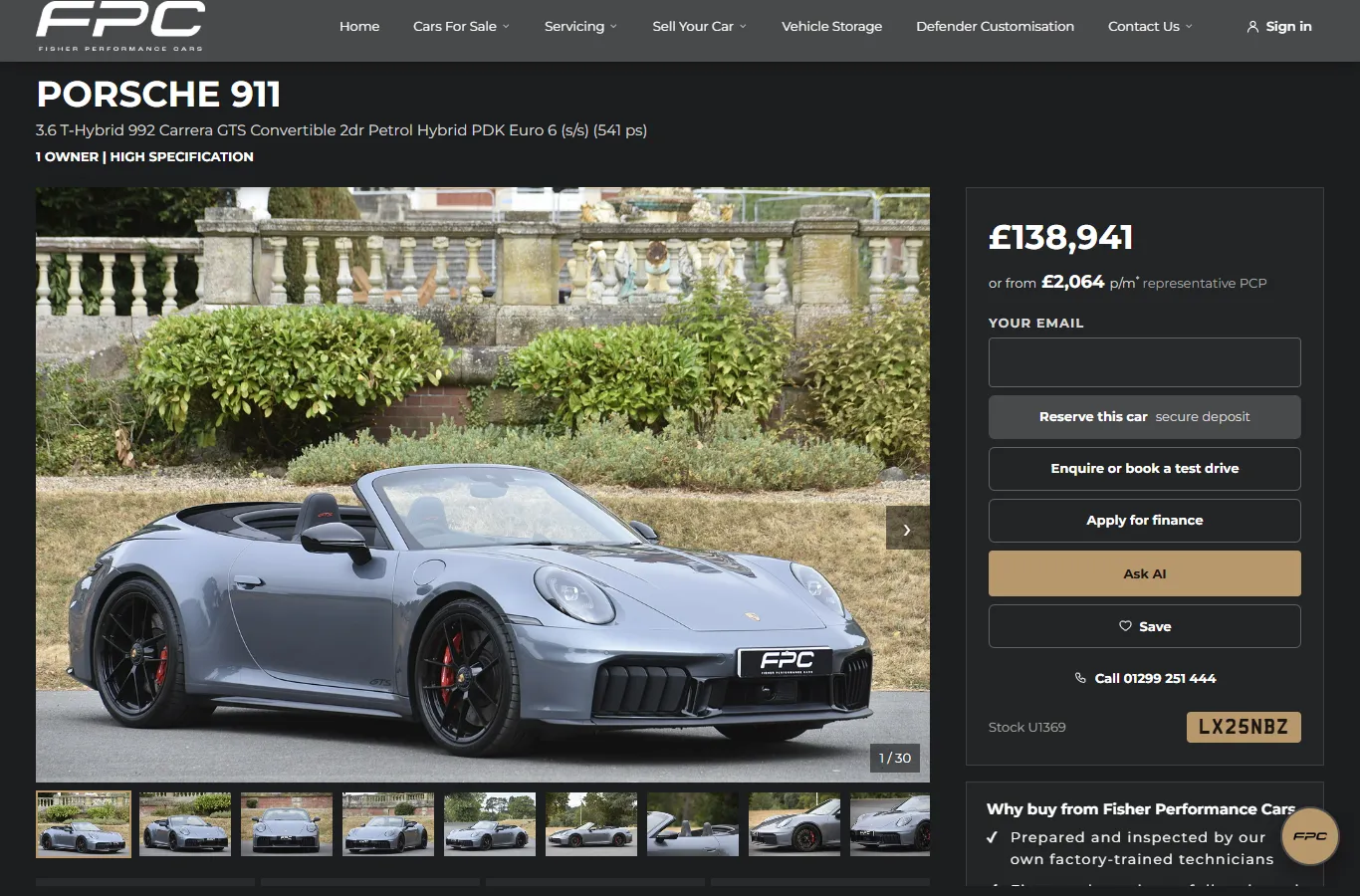
Want a new website? The whole site built around AI, with an AI on every page that sees what the customer sees. Why it is different.
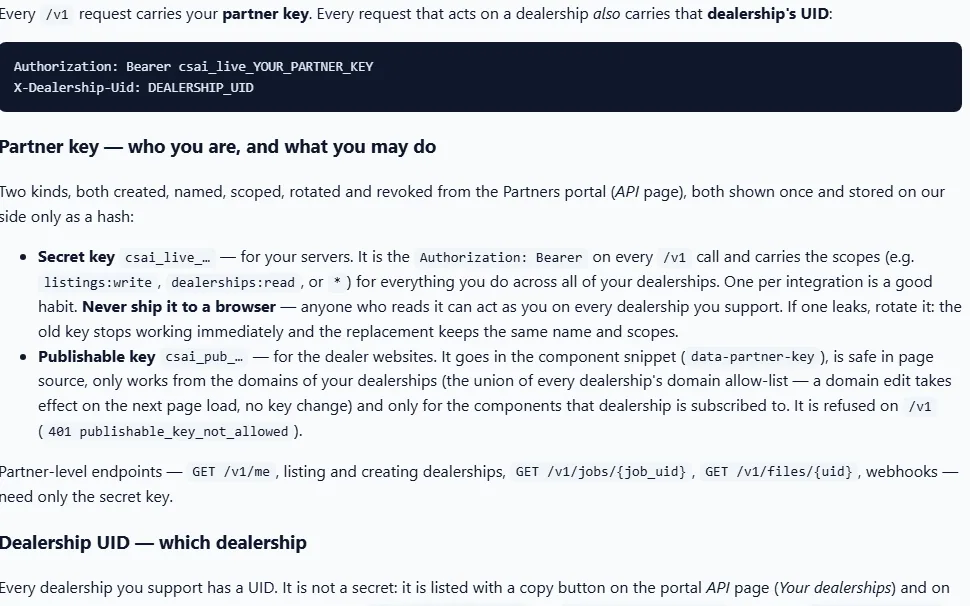
Your stock system can send cars and photos in, read your enquiries out, and ask for the AI's write-up of a car. Documented for whoever runs it.
Send your details in any form. The AI tidies them into your profile: name, website, opening hours, the brands you specialise in.
Search, chat, part exchange, showroom pictures, video adverts, or the whole website. Styled with your own colours and font.
One small addition to your website and it is live. Enquiries go straight to your inbox.
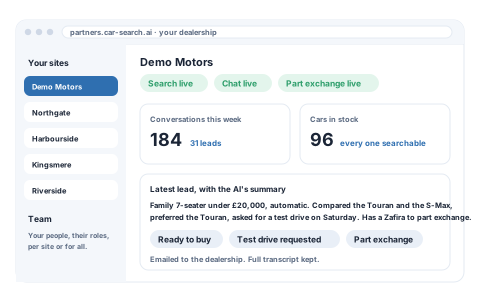
What is live on your website, this week's conversations and enquiries, and the latest enquiry with the AI's summary. More than one site? Every branch sits in the same account, each kept separate.
One box on your website. The AI turns plain English into a real search and shows the buyer what it understood before the results, so it is always clear why a car is there.
 Real journey · AI car search
Buyers ask in their own words, day or night. The assistant checks your stock and your dealership's details, answers with real photos, and suggests what to ask next. Every conversation is kept and summed up: what the buyer needs, how ready they are, the next step and how good the lead is.
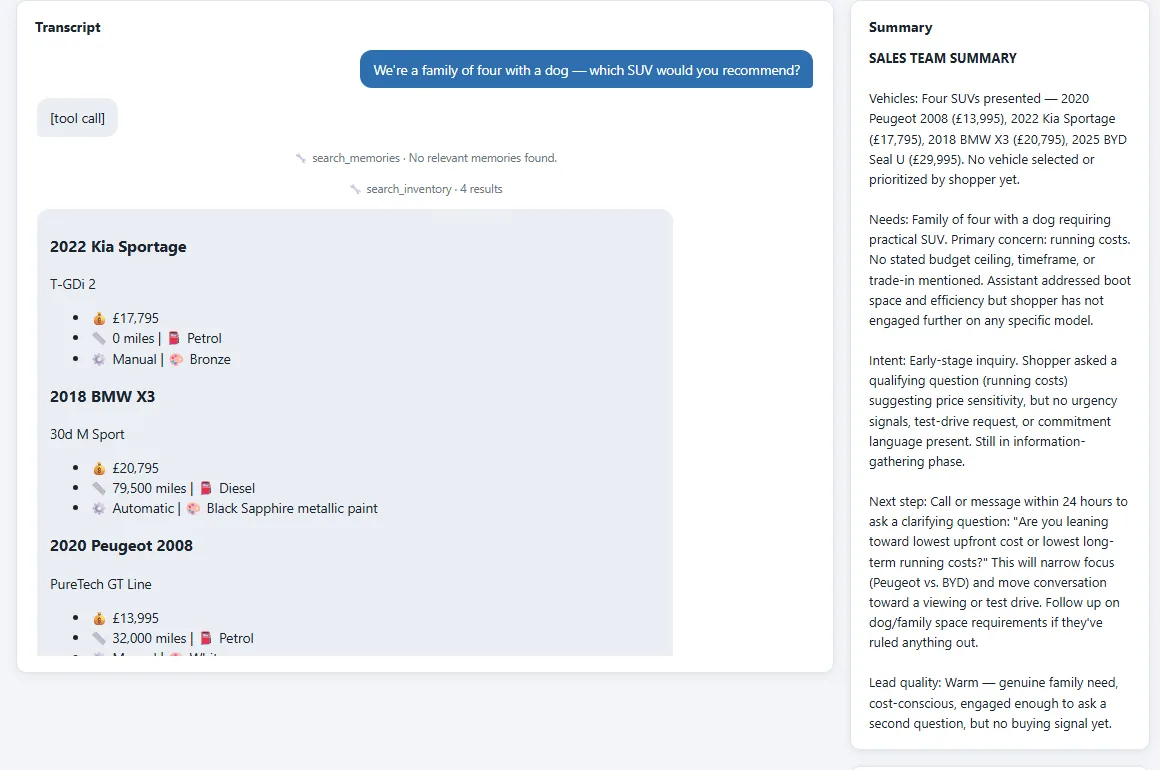 Real conversation · AI summary
The buyer photographs their number plate and dashboard; the AI reads the registration and the mileage. Then a guided checklist: every photo is checked the moment it lands, with what the AI saw, how sure it is, and a flag when a shot doesn't match. You see the same photos and checks, ready to value.
 Real journey · part exchange
Pick a showroom, drag the car into place and size it. The AI cuts the car out, matches the light, and paints real shadows and floor reflections. Your original photo stays as it is.
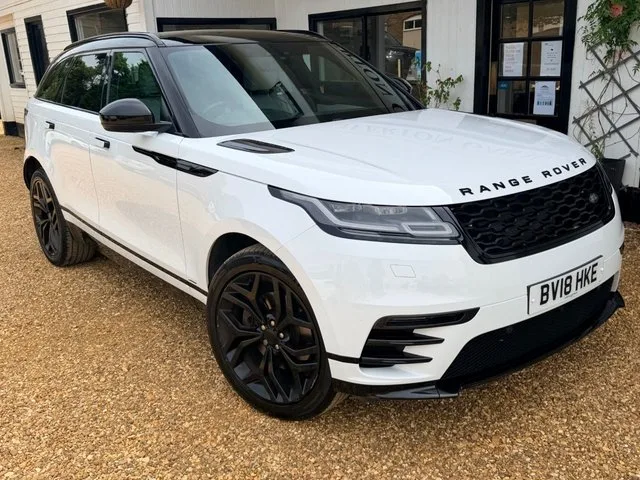
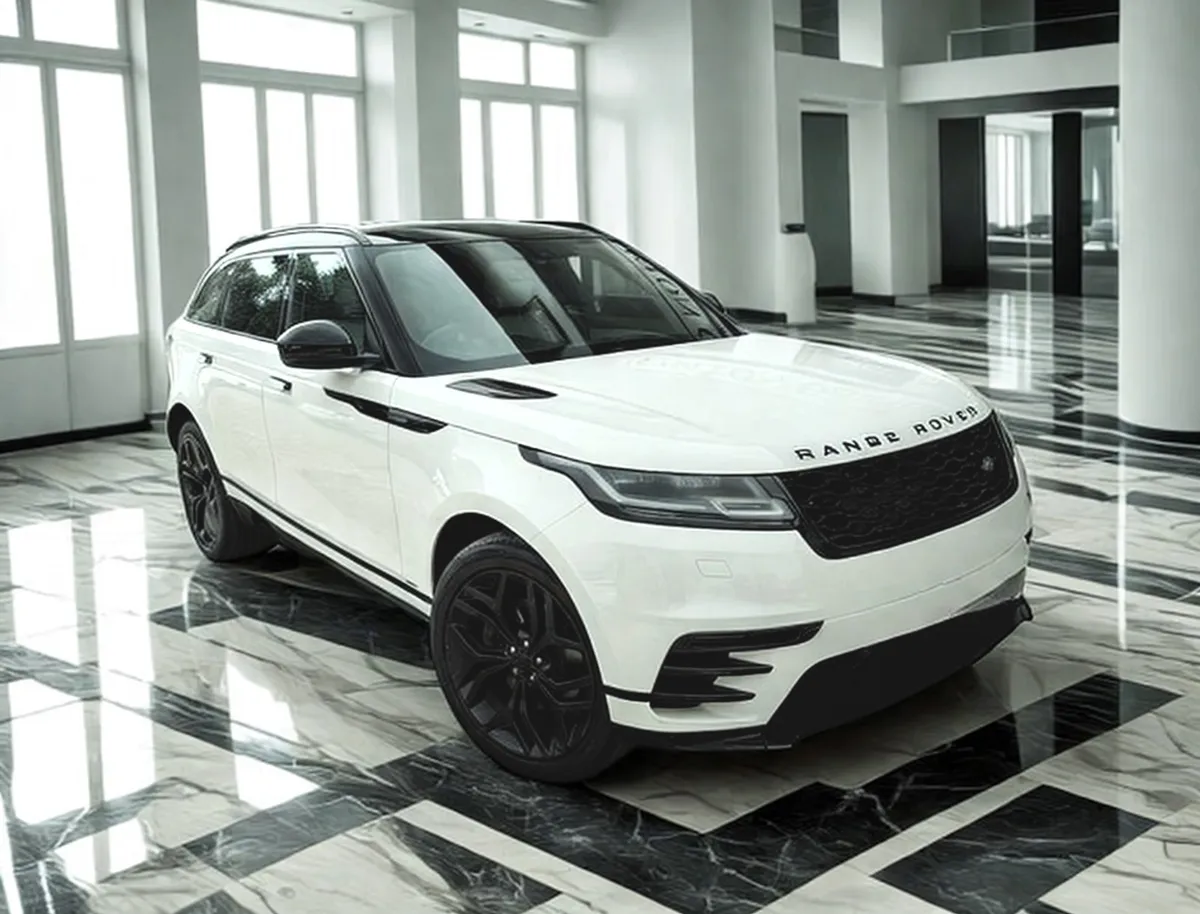
Work through the guided shot list. The AI looks at each photo the moment it lands: ticks the slot off, says what it saw and how sure it is, flags a mismatch, and captions every photo as you go. Ask for the listing when you are ready and it comes back in seconds, ready to publish or change.
 Real journey · AI photo review
Send cars and photos in, read your stock and enquiries out, and run the same AI search and photo review from your own system. Documented for whoever runs it, with a page for every call.
Not only tools for the website you have: a complete dealer website built around AI. Easy for the AI assistants buyers now ask to read, with an AI of its own on every page.
Live · Fisher Performance Cars
Choose the tools you want and copy the snippet. They only work from your own website, and they take their colours, corners and font from the page they sit on.
Buyers describe the car in their own words; the AI searches your live stock and walks them to it.
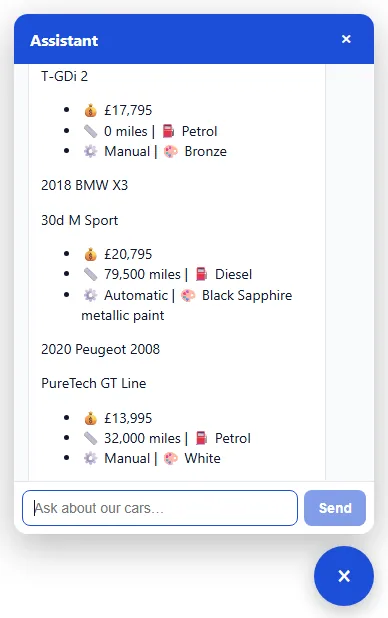
Answers questions from your stock around the clock and passes every enquiry to you.
Buyers photograph their number plate and a few angles; the AI reads it, checks each photo and hands the car to you to value.
Forecourt photos become showroom pictures: the same car, a clean backdrop, every listing matching.
Every frame is a real capture of the product, driven by the live AI: the search, the chat, the part-exchange checks, the AI photo review, the showroom pictures and the conversation summaries. It plays on its own; hover to pause, use the arrows to step.
Partner accounts are set up by us. Send the form and we will reply with the next step, and a walkthrough on a real dealer website if you would like one.
Partner accounts are set up by us. Send this and we will come back to you with the next step.